Note
Click here to download the full example code
Dotprops#
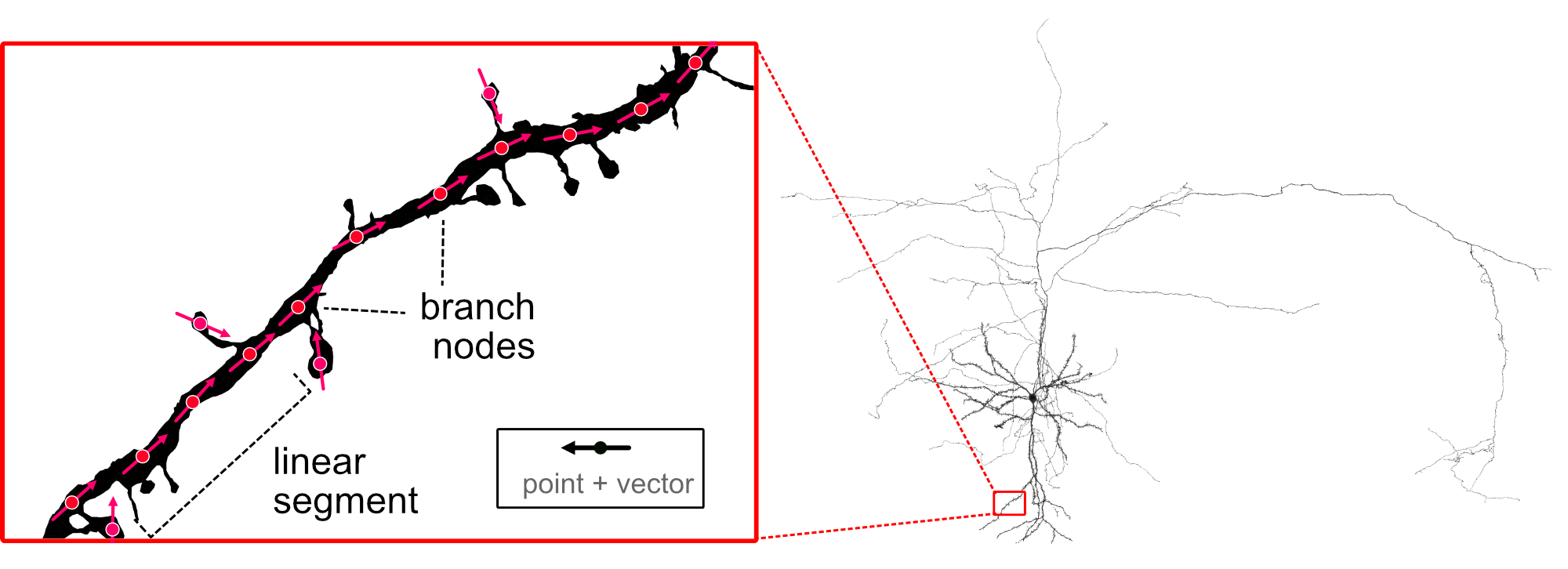
Create dotprops — point-and-vector representations — from skeletons, meshes or raw points.
navis.Dotprops are point clouds with associated principal vectors which are mostly used for NBLASTing. They are typically derivatives of skeletons or meshes but you can load them straight from e.g. confocal image stacks using navis.read_nrrd or navis.read_tiff.
import navis
import matplotlib.pyplot as plt
From image data#
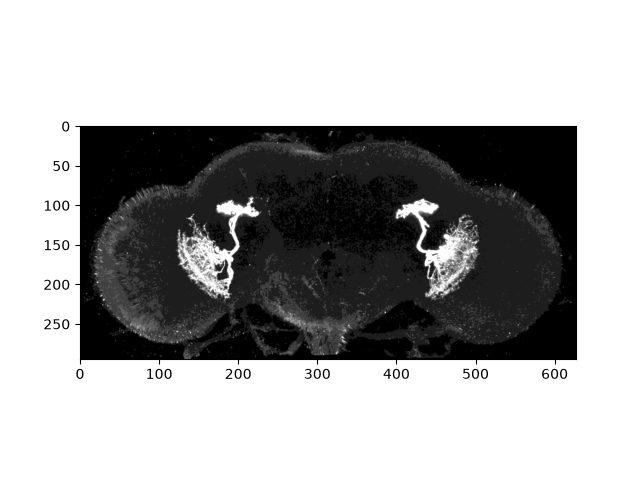
For this example we will use a stack from Janelia's split Gal4 collection. This LH2094 line is also available from Virtual Fly Brain where, conveniently, they can be downloaded in NRRD format which we can directly read into NAVis.
Let's do this step-by-step first:
# Load raw NRRD image
im, header = navis.read_nrrd(
    "https://v2.virtualflybrain.org/data/VFB/i/0010/2926/VFB_00101567/volume.nrrd",
    output="raw"
)

# Plot a maximum projection
max_proj = im.max(axis=2)
plt.imshow(
    max_proj.T,
    extent=(0, int(0.5189 * 1210), (0.5189 * 566), 0),  # extent is calculated from the spacing (see `header`) times the no of x/y pixels
    cmap='Greys_r',
    vmax=10  # make it really bright so we can see neurons + outline of the brain
    )
Out:
<matplotlib.image.AxesImage object at 0x7f2bdbe13690>
At this point we could threshold the image, extract above-threshold voxels and convert them to a Dotprops object. However, the easier option is to use navis.read_nrrd with the output="dotprops" parameter:
dp = navis.read_nrrd(
    "https://v2.virtualflybrain.org/data/VFB/i/0010/2926/VFB_00101567/volume.nrrd",
    output="dotprops",
    threshold=5,  # threshold to determine which voxels are used for the dotprops
    thin=True,   # see note below on this parameter!
    k=10  # number of neighbours to consider when calculating the tangent vector
)
Tuning dotprops
A handful of parameters control the quality of your dotprops - expect to tune them for your data:
threshold(image input): which voxels are bright enough to become points. Higher = stricter.thin(image input): thins the image to single-pixel width before sampling. Produces "cleaner" dotprops but can erode denser neurites, emphasizing the backbone. Requiresscikit-image:pip install scikit-imagek: number of neighbours used to estimate each point's tangent vector. Higherk= smoother; lowerk= more detail but more noise. Clean connectome skeletons do well with a lowk; for noisy confocal data tryk=20. Accepted by bothread_nrrdandmake_dotprops.dp_dist(fordrop_fluff): max distance for two points to count as connected when finding connected components. Defaults to 5× the average inter-point distance.
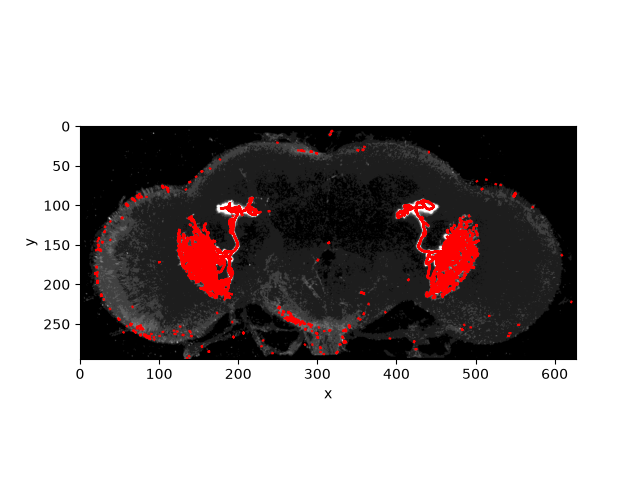
Now overlay the dotprops on the maximum projection (reusing the same imshow recipe as above):
fig, ax = plt.subplots()
ax.imshow(
    max_proj.T,
    extent=(0, int(0.5189 * 1210), (0.5189 * 566), 0),
    cmap='Greys_r',
    vmax=10
    )
navis.plot2d(dp, ax=ax, view=("x", "-y"), method="2d", color="r", linewidth=1.5)
Out:
(<Figure size 640x480 with 1 Axes>, <Axes: xlabel='x', ylabel='y'>)
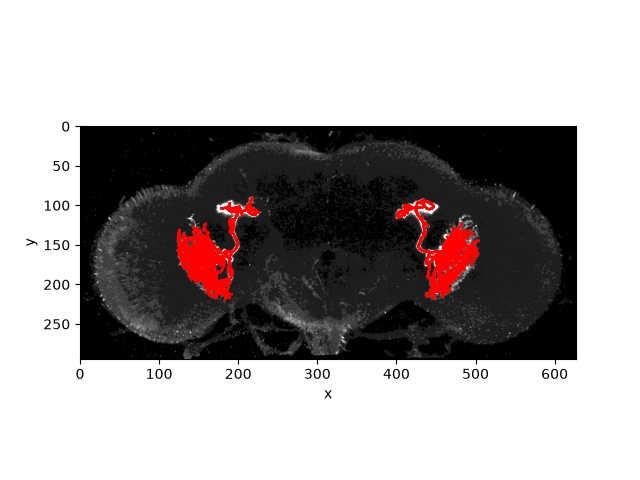
This looks pretty good but we have a bit of little fluff around the brain which we may want to get rid of:
# Drop everything but the two largest connected components
dp = navis.drop_fluff(dp, n_largest=2)

# Plot again
fig, ax = plt.subplots()
ax.imshow(
    max_proj.T,
    extent=(0, int(0.5189 * 1210), (0.5189 * 566), 0),
    cmap='Greys_r',
    vmax=10
    )
navis.plot2d(dp, ax=ax, view=("x", "-y"), method="2d", color="r", linewidth=1.5)
Out:
(<Figure size 640x480 with 1 Axes>, <Axes: xlabel='x', ylabel='y'>)
From other neurons#
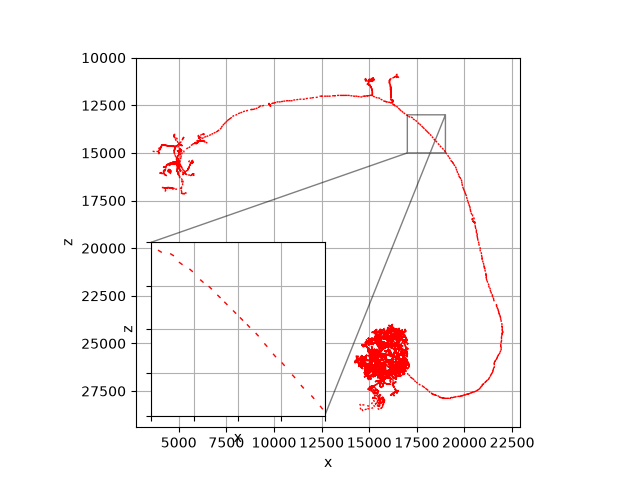
Let's say you have a bunch of skeletons and you need to convert them to dotprops for NBLAST. For that you use navis.make_dotprops:
sk = navis.example_neurons(3, kind="skeleton")
dp = navis.make_dotprops(sk, k=5)

# Plot one of the dotprops
fig, ax = navis.plot2d(dp[0], view=("x", "-z"), method="2d", color="red")

# Add a zoom-in
axins = ax.inset_axes([0.03, 0.03, 0.47, 0.47], xticklabels=[], yticklabels=[])
_ = navis.plot2d(dp[0], view=("x", "-z"), method="2d", color="red", ax=axins)
axins.set_xlim(17e3, 19e3)
axins.set_ylim(15e3, 13e3)
ax.indicate_inset_zoom(axins, edgecolor="black")
Out:
<matplotlib.inset.InsetIndicator object at 0x7f2bb4b65ed0>
(See the Tuning dotprops tip above for how k shapes the result.)
Manual construction#
If not loaded from file, you would typically create Dotprops via navis.make_dotprops but just like all other neuron types, Dotprops can be constructed manually:
import numpy as np

# Create some x/y/z coordinates
points = np.array([[0, 0, 0], [1, 1, 1], [2, 2, 2]])

# Create vectors for each point
# You can skip this point and just provide the `k` parameter
vect = np.array([[1, 0, 0], [0, 1, 0], [0, 1, 0]])

dp = navis.Dotprops(points, k=None, vect=vect)
dp
There is no established format to store dotprops. But like all other neuron types in navis, you can pickle data for later (re)use - see the pickling tutorial. See also the I/O API reference.
Total running time of the script: ( 0 minutes 10.930 seconds)
Download Python source code: tutorial_io_02_dotprops.py