NAVis & Friends#
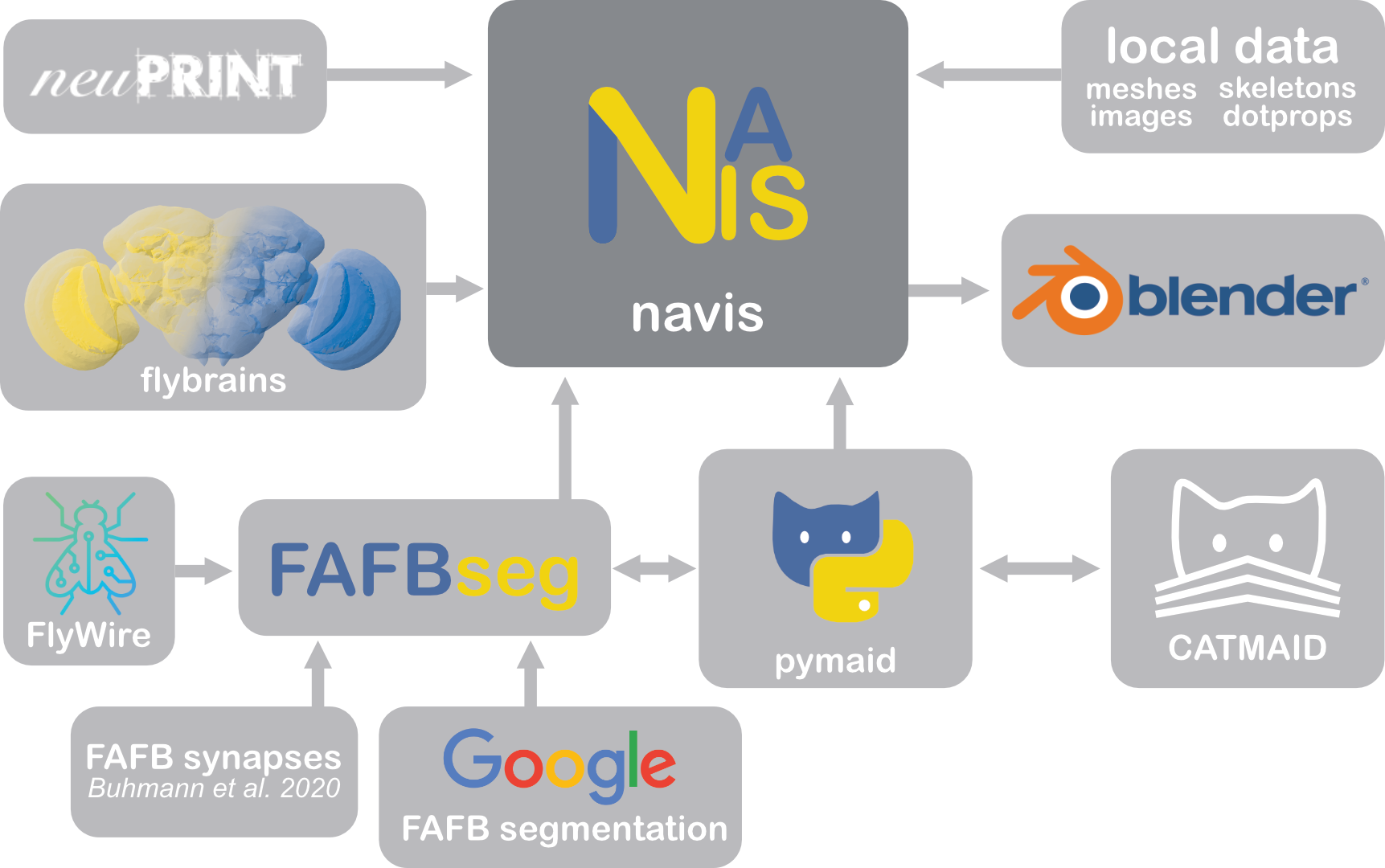
NAVis comes with batteries included but is also highly extensible. Here are some libraries that are built directly on top of NAVis.
template brains + transforms#
NAVis provides the scaffolding to work with brain templates and transforms, but it does not ship any itself. Instead, those are provided by separate packages:
flybrains#
flybrains bundles many fly template brains and transforms that NAVis can use to map spatial data (e.g. neurons) from one brain space to another. If you installed NAVis via pip with the [flybrains] option, you should already have this package.
import navis
import flybrains  # importing registers the transforms with NAVis

# Plot one of the template brains
navis.plot2d(flybrains.JRC2018U)

# Transform neurons to another brain space
n = navis.example_neurons(3, kind='skeleton')
xf = navis.xform_brain(n, source='JRCFIB2018F', target='JRC2018F')
fishbrains#
fishbrains contains template brains and transforms for zebrafish.
mousebrains#
mousebrains contains template brains and transforms for mouse.
pymaid#
pymaid provides an interface with CATMAID servers. It allows you to pull data (neurons, connectivity) that can be directly plugged into NAVis. Conversely, you can also take NAVis neurons and push them to a CATMAID server. pymaid is a great example of how to extend NAVis.
import navis
import pymaid

# Connect to a public CATMAID server
rm = pymaid.CatmaidInstance(server="https://fafb.catmaid.virtualflybrain.org/", api_token=None)

# Fetch some neurons
nl = pymaid.get_neurons('annotation:Paper: Engert et al 2022')

# CATMAID neurons can be directly used in all NAVis functions
navis.plot2d(nl, radius=False)
fafbseg#
fafbseg contains tools to work with autosegmented data for the FAFB (full adult fly brain) EM dataset. It brings together data from FlyWire, Google's segmentation of FAFB and synapse predictions by Buhmann et al. (2019).
from fafbseg import flywire

# Grab a neuron mesh by its ID
n = flywire.get_mesh_neuron(720575940613091290)

# Skeletonize using NAVis
s = navis.skeletonize(n)
connecto#
connecto generalizes what fafbseg does for FlyWire to (almost) all connectome datasets: a unified interface to fetch neurons, connectivity/synapses, annotations and segmentation.
import connecto as co

fw = co.FlyWire()      # via neuPrint (pass backend="cave" for the CAVE door)
hb = co.Hemibrain()    # via neuPrint

fw.connectivity.edges("DA1_lPN")     # pre, post, weight
hb.connectivity.edges("DA1_lPN")     # the same frame — different backend, different conventions
natverse#
The natverse is NAVis's equivalent in R. While we are aiming for feature parity, it can be useful to move data between the two.
That happens via R data files, which NAVis reads and writes natively - no R installation and no rpy2 required on either end:
import navis

nl = navis.example_neurons(3)

# Write to an .rds (single object) or .rda (named objects) file
navis.write_rds(nl, 'neurons.rds')
navis.write_rda({'neurons': nl, 'LH': navis.example_volume('LH')}, 'data.rda')

# ... and read R data files back in
nl2 = navis.read_rds('neurons.rds')
# In R:
library(nat)
nl <- readRDS('neurons.rds')
plot3d(nl)
Skeletons, dotprops, meshes, image data and neuronlists all map onto their nat/rgl counterparts. See the natverse tutorial for the full round trip.
The rpy2 interface has been retired
NAVis used to ship a navis.interfaces.r module that called natverse functions through rpy2. It has been removed: the file-based exchange above covers the data side without needing R installed, and its other functions have native equivalents (navis.nblast, navis.xform_brain and navis.mirror_brain with flybrains).